In development · waitlist open
Style guide in, real app out.
DesignForge is a web tool, in development, that reads a style guide or moodboard image, computes the design tokens from it, shows every page on a live canvas, and exports a starter app in Angular, React or Vue.
In development. Every screenshot and video on this page was captured from the running product. The five blues and the color playground are illustrations.
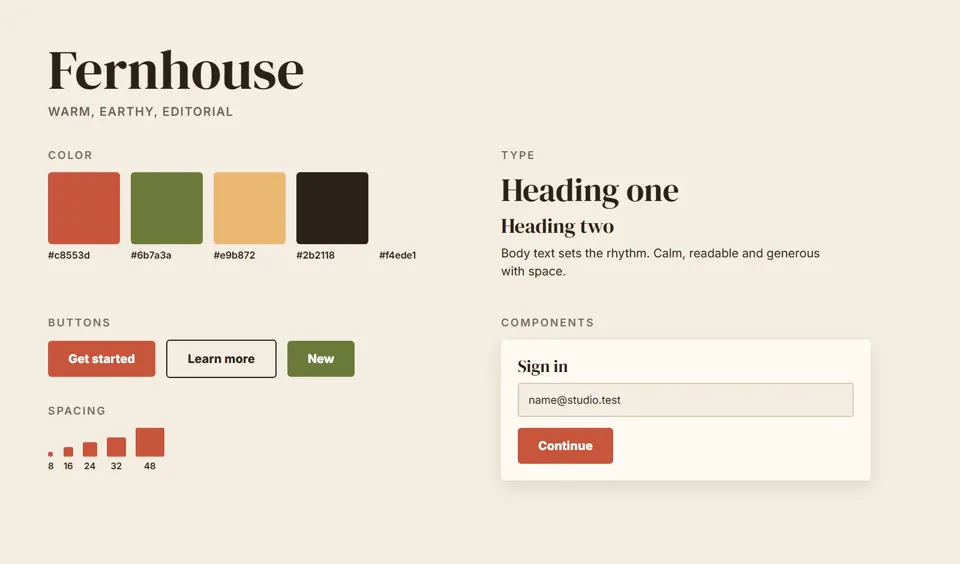
A style guide is not an app. Somebody has to guess the rest.
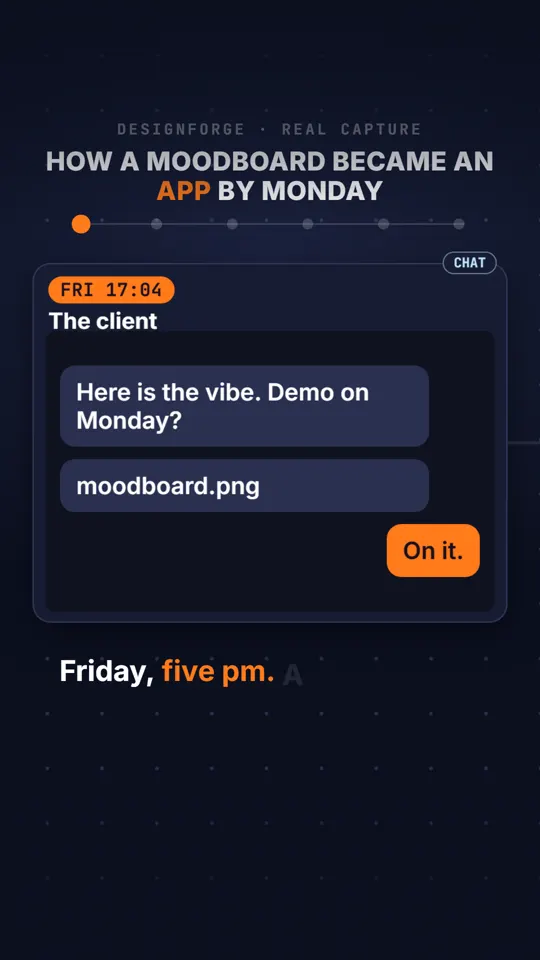
A client sends a moodboard on Friday and wants something clickable on Monday. A designer saves a beautiful design system and still cannot picture the login screen. A developer receives a PDF of swatches and has to guess the hover color, the spacing, the dark theme and the empty state.
The guessing is where drift starts: five slightly different blues, buttons that almost match, a dark mode nobody designed. Then come rounds of mockups, and the mockups are still not the app.
DesignForge is my attempt to remove the guessing. It is not finished, and this page says exactly what runs today and what does not.
How does DesignForge turn an image into an app?
Watch a real run on a sample style guide I drew, Fernhouse. Scroll, or use the steps.
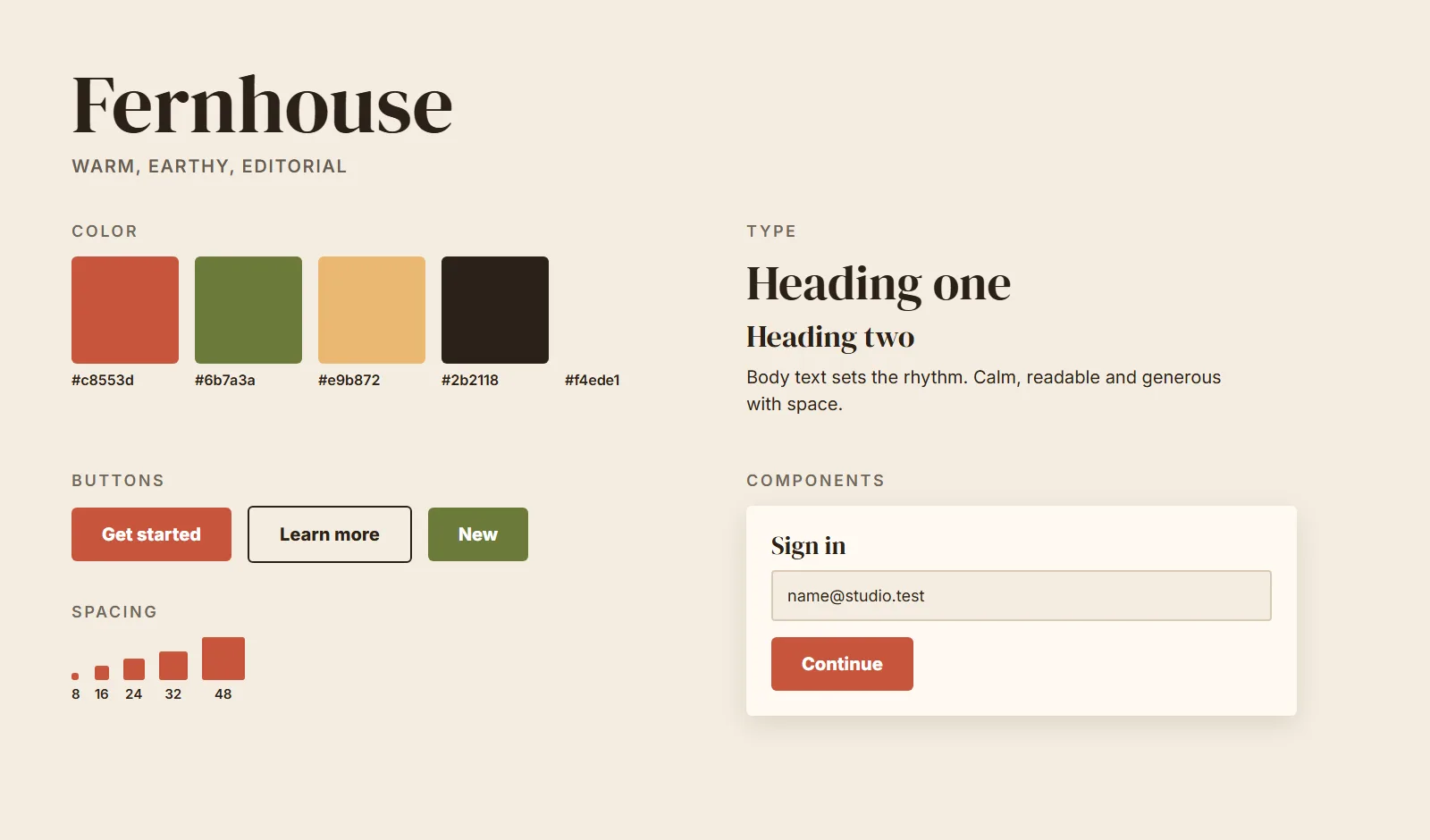
What the AI sees
A vision model reads the image in about 6 to 9 seconds (9.1 s in this run) and returns this brief. Nothing else is taken from the picture.
- 1Brand#c8553d
- 2Accent#6b7a3a
- 3Neutral#f4ede1
- 4Heading fontDM Serif Display
- 5Corner radiusSmall
- 6ShadowsSoft
Also in the brief: body font Plus Jakarta Sans, light mode, comfortable density, type scale 1.25.
Show the raw brief
{
  "version": 1,
  "name": "Fernhouse",
  "mode": "light",
  "colors": { "brand": "#c8553d", "accent": "#6b7a3a", "neutral": "#f4ede1" },
  "typography": {
    "headingFont": "dm-serif-display",
    "bodyFont": "plus-jakarta-sans",
    "baseSize": 16,
    "scale": "1.25",
    "headingWeight": 400
  },
  "radius": "small",
  "density": "comfortable",
  "elevation": "soft"
}
Everything else is computed
From the brief, fixed rules produce a 50 to 950 scale for each color, semantic tokens, a type scale, spacing, radius, shadows, and a light and a dark theme. The same brief always gives the same tokens. These are the real values from the export.
- primary
- brand 600
- primary hover
- brand 500
- primary text
- brand 700
- primary subtle
- brand 100
- text on primary
- black, chosen for contrast
- type scale
- 11, 13, 16, 20, 25, 31, 39, 49 px
- radius
- 2, 4, 6 px
- dark theme
- separate shades, not an inversion
Real screens, then real code
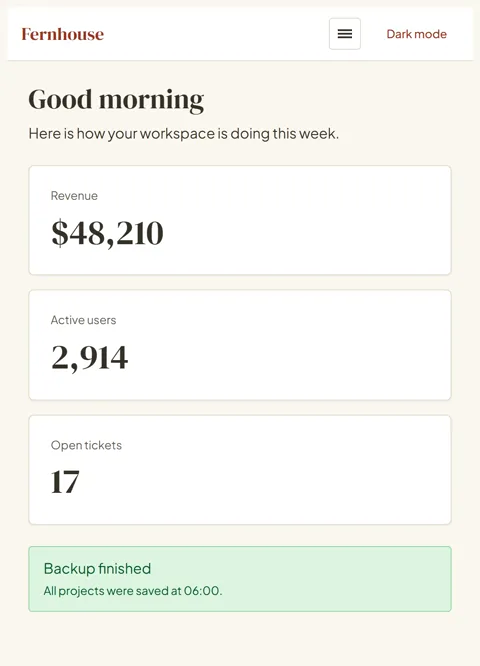
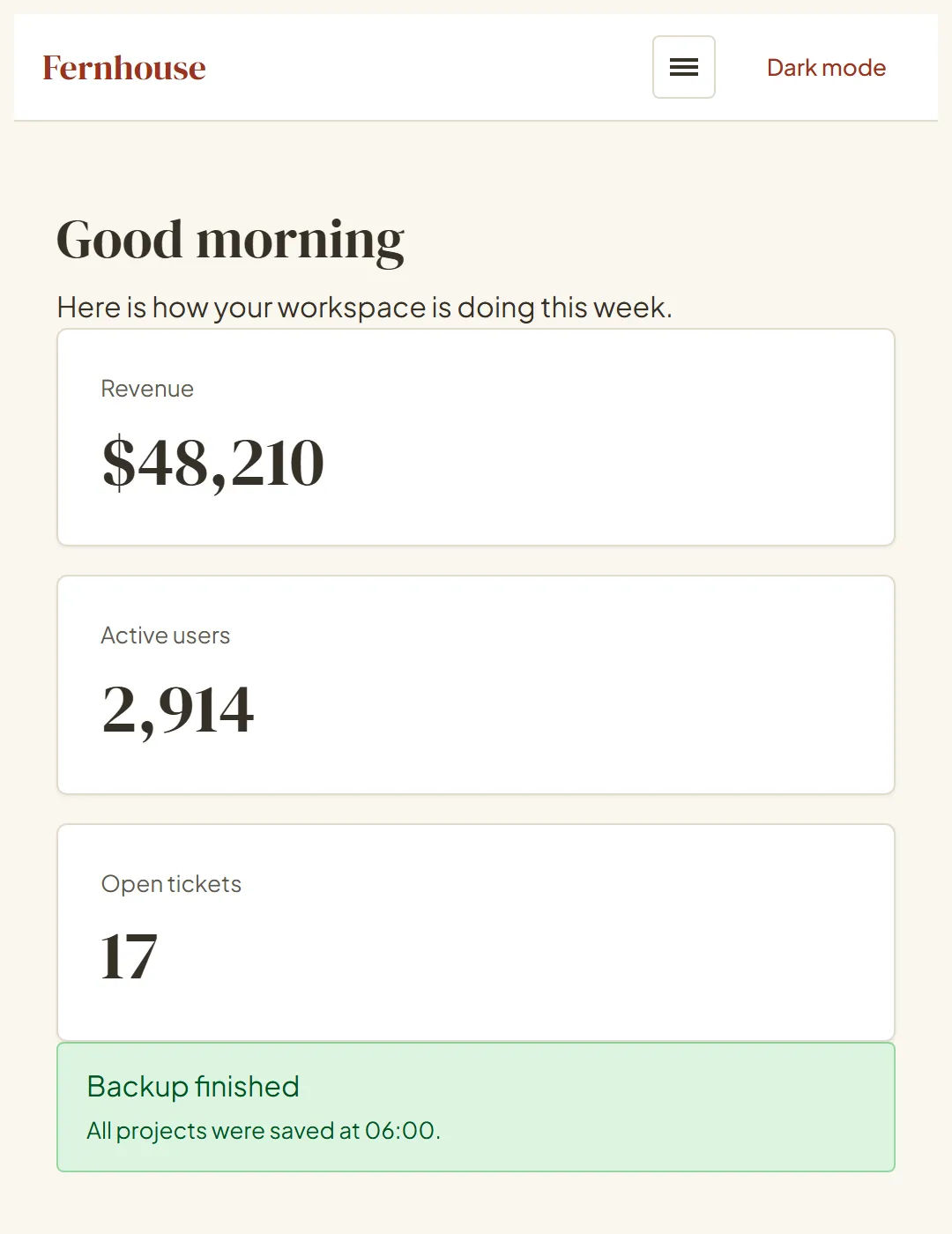
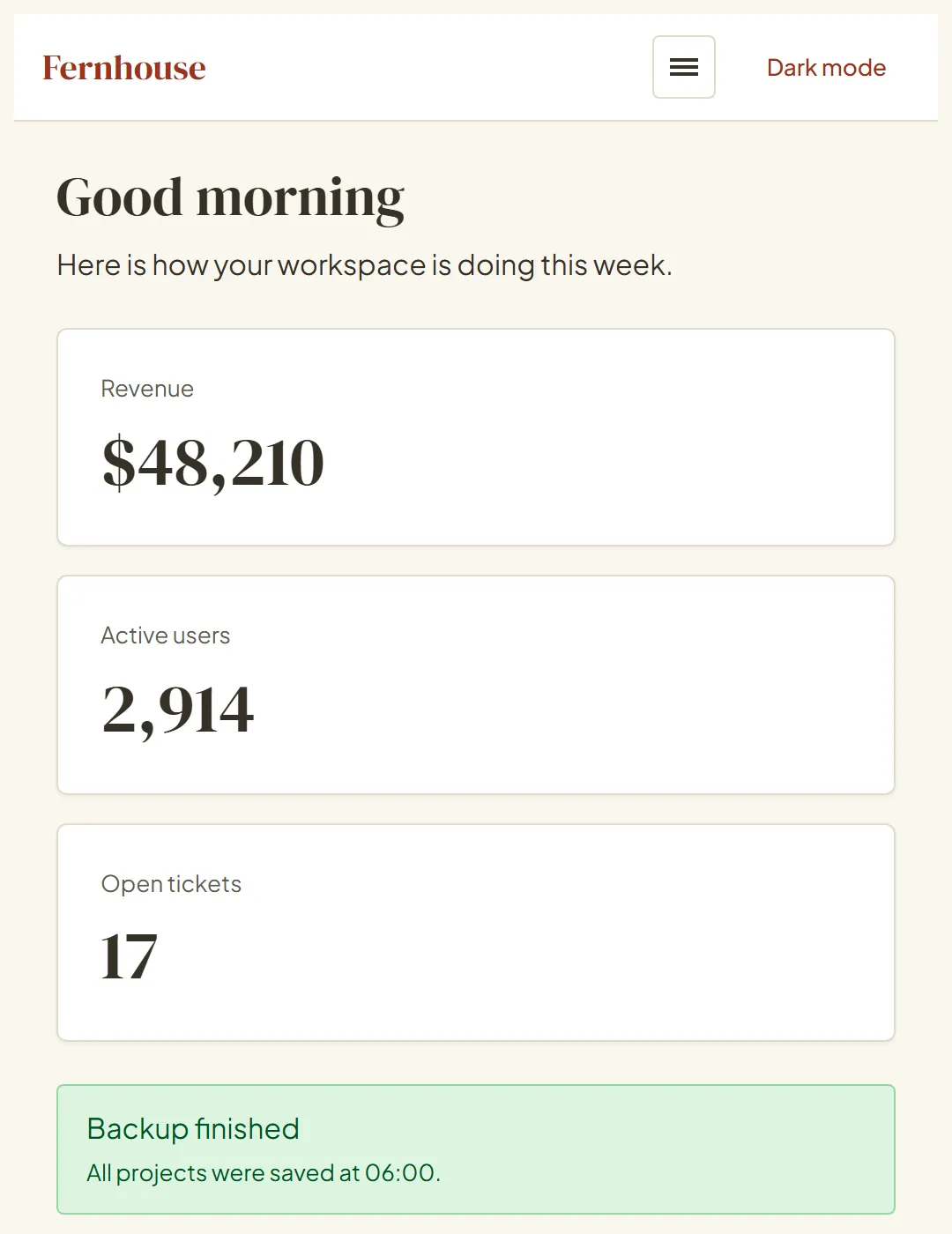
The same tokens, as the exported React app: light, dark, and a phone width. Pages on the canvas are styled by these values, not by a picture of them.
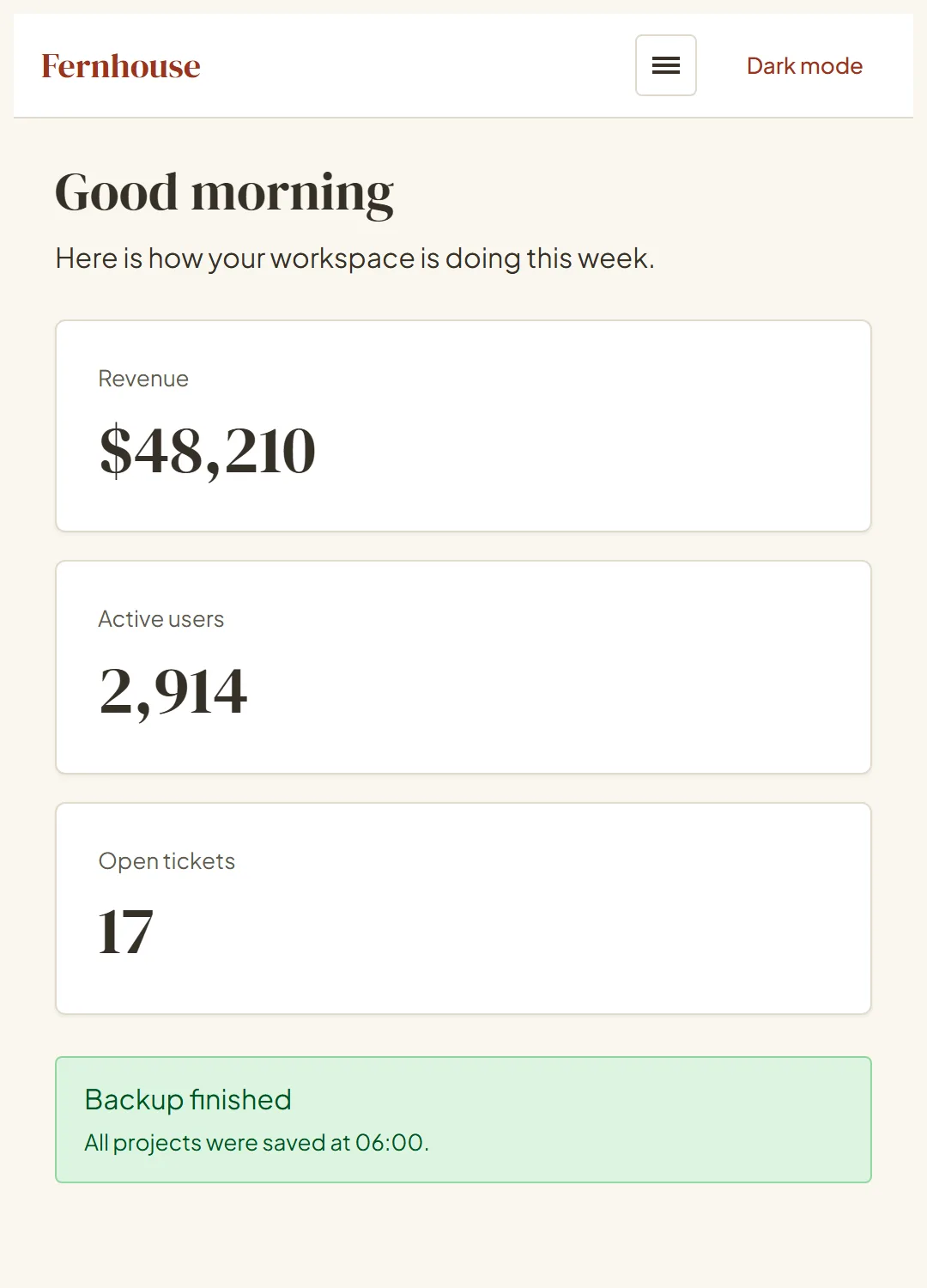
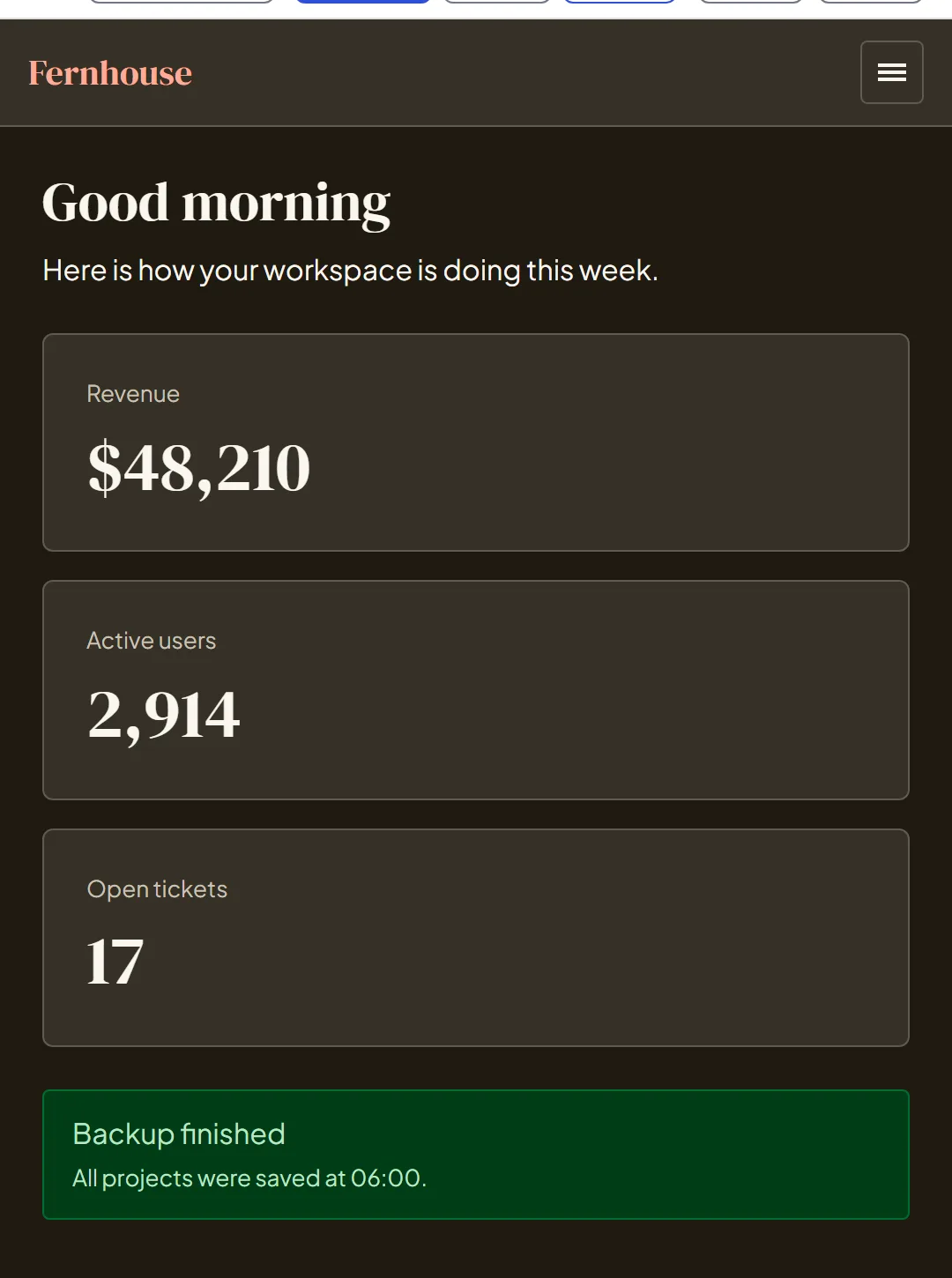
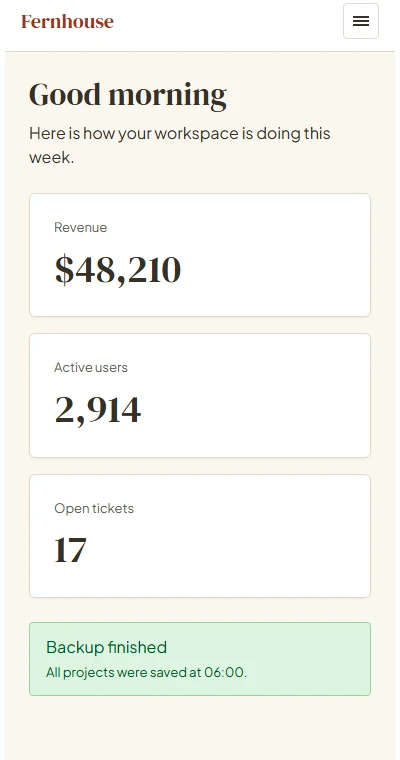
These screens are a demo project made from the builder's own blocks and styled by the extracted tokens. A new project starts with Home, Pricing, Contact and About pages styled the same way.
It also read a vintage wallpaper
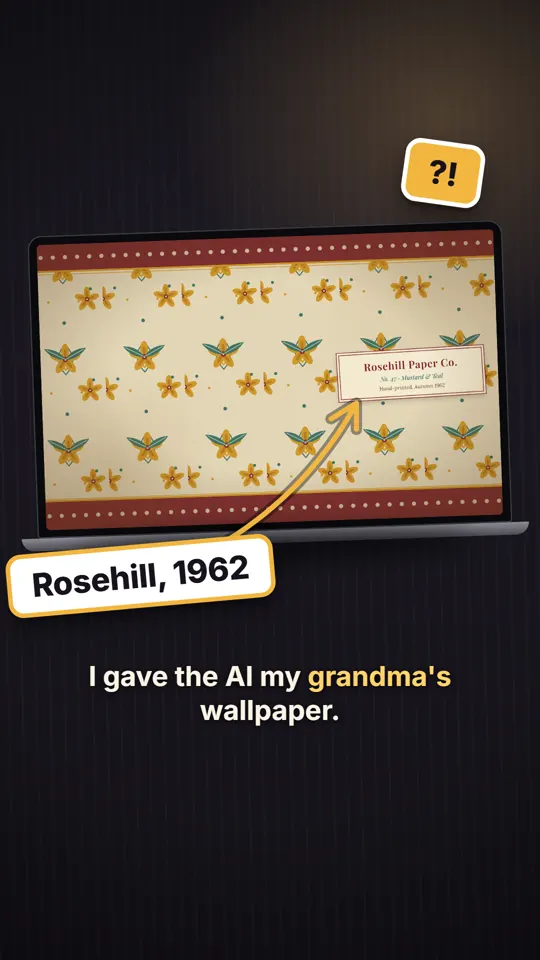
To see how far it goes, I gave it a pattern instead of a style guide: a vintage wallpaper made for testing. In the captured run the AI took burgundy, teal and cream and two serif fonts, Libre Baskerville for headings and Source Serif for text, in 9.3 seconds.
Then I asked for a booking page for a tea room. Another 9.3 seconds later it was on the canvas, in the same style.
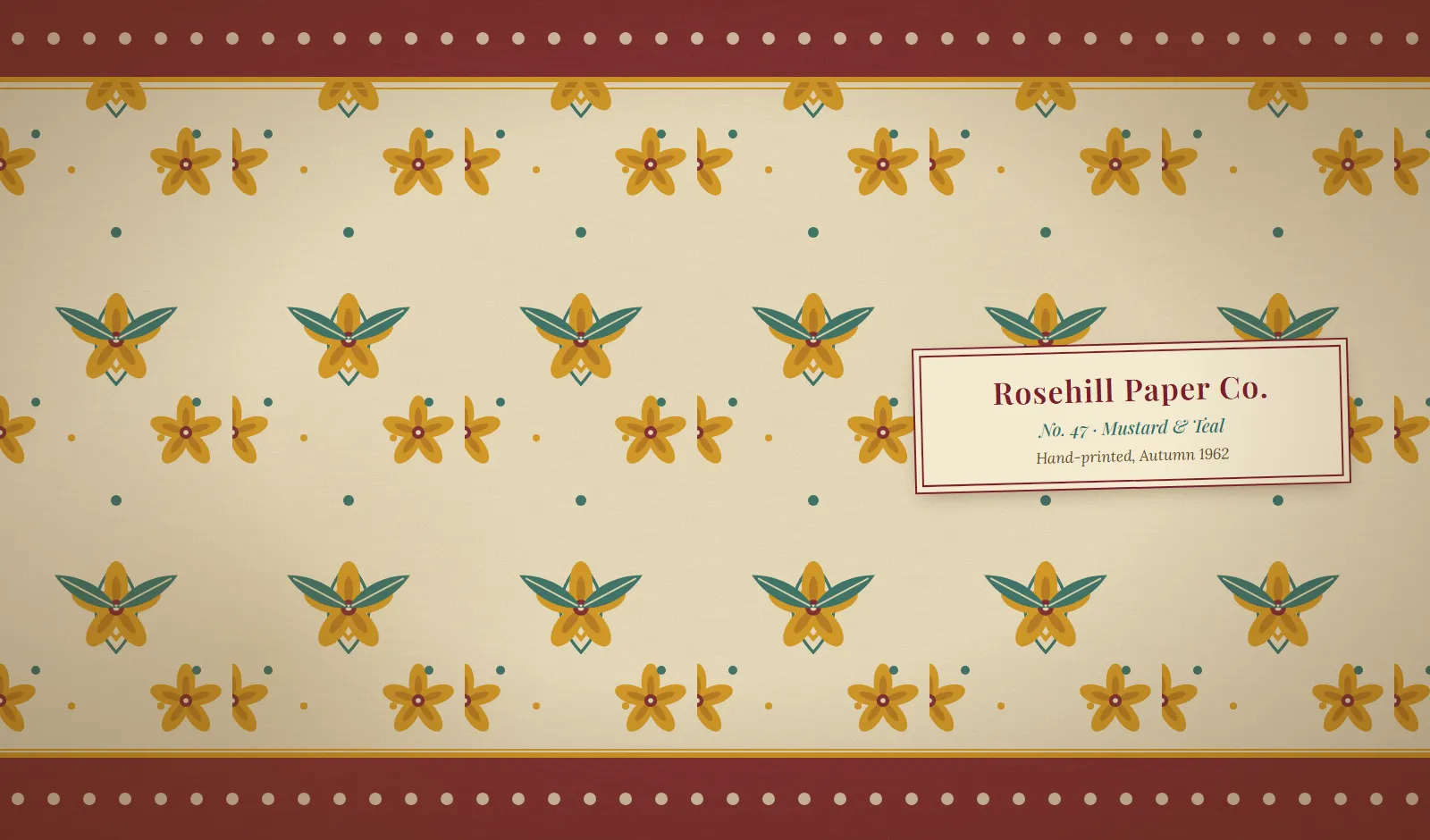
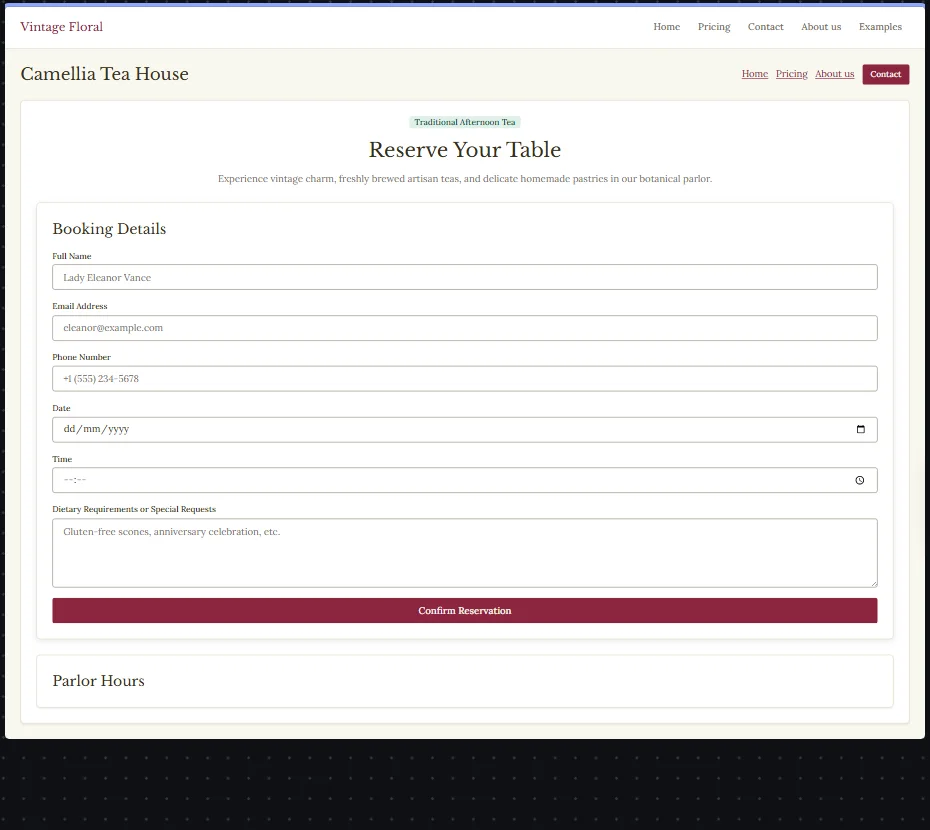
Left: the image I dropped in. Right: the page the AI generated from the prompt "A booking page for a tea room". Captured run: 9.3 seconds to read, 9.3 seconds to generate.
Change one token and every screen follows
Try it on a small demo app. Pick a brand color, change the corners, flip dark. This is a browser demo of the idea with simplified math; in DesignForge the real scale and contrast choices are computed from your guide's colors.
Button text is black on #c8553d: contrast 5.2:1 (passes AA).
Here is how your workspace is doing this week.
Every page on one canvas, styled by the same tokens
In the studio, each page is a live artboard on an infinite canvas, on desktop, tablet and phone. Nothing is a picture of a page. Edit a token in the Design panel and all of them re-skin.
Drop an image, get a canvas
You drop in a PNG, JPEG or WebP. The studio shows "Reading your image" with a seconds counter, then the canvas appears with the extracted design already applied. In this capture the reading took 9.1 seconds.
Transcript of the capture
- The Start a project screen shows a drop area and a list of starter styles.
- A moodboard is dropped in; the studio shows "Reading your image" and a seconds counter.
- After about nine seconds the canvas appears with the pages laid out as artboards.
Change the brand color once
This is the real Design panel with the artboards behind it. The brand color goes blue, then violet, then green, and every page follows, because every page reads the same token.
Transcript of the capture
- The canvas shows the Home, Pricing and Contact pages in terracotta, beside the open Design panel.
- The brand color is changed to blue: every artboard turns blue.
- It is changed to violet, then to green, and the artboards follow each time.
Ask for the page you are missing
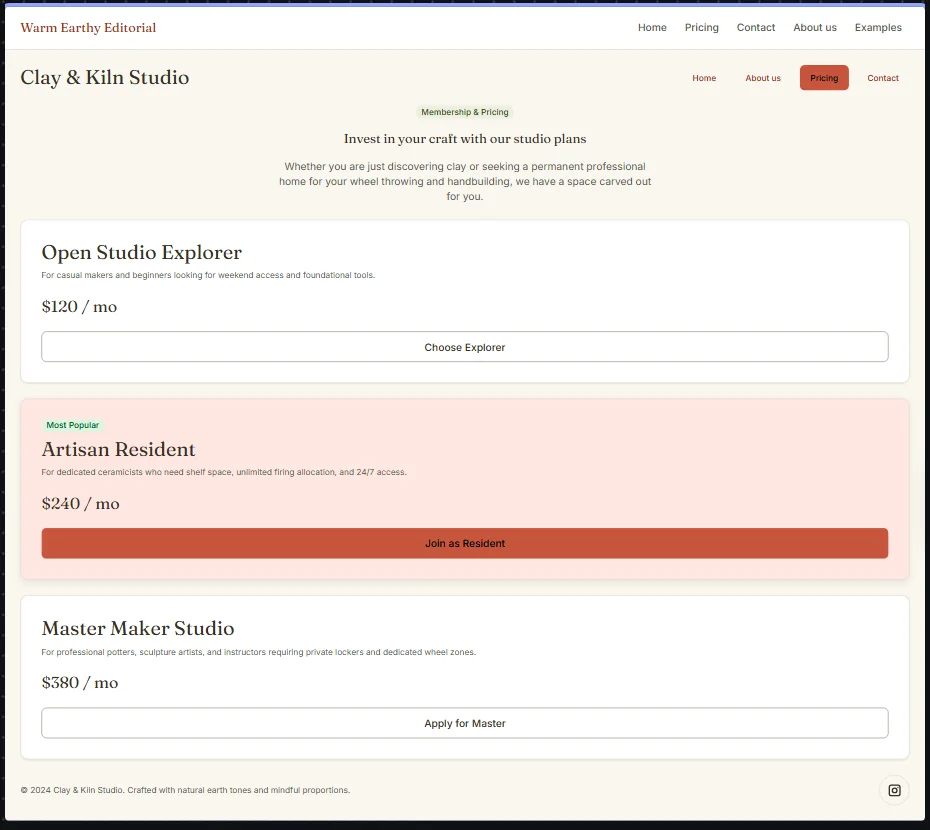
Type what you want. In this capture the prompt was:
A pricing page for a ceramics studio with three plans.
It took 9.6 seconds, and the page landed on the canvas as "Clay & Kiln Studio", in the same warm palette and serif as the rest of the project. The three plan names and prices are written by the AI, not by me.
Transcript of the capture
- The prompt bar at the bottom of the canvas gets the text "A pricing page for a ceramics studio with three plans".
- It is submitted and the bar shows it is waiting.
- About ten seconds later a new artboard appears with three plan cards, and the studio says it generated 44 elements.
Dark mode on every page
One switch and every artboard moves to the dark theme. The dark theme is computed with its own shades (brand 400 as the primary instead of 600, for example), not an inverted filter.
Transcript of the capture
- The canvas shows the pages in light mode.
- The dark preview is switched on and every artboard turns dark, then back to light, then dark again.
Which formats and frameworks can DesignForge export?
The export is plain text you can read. Choose CSS variables, a Tailwind theme, Design
Tokens JSON or components, or a whole starter app in Angular, React or Vue. The Tailwind export is a Tailwind v4 theme. For a moodboard to React app, drop the image, choose React in the Export dialog, unzip, then run npm install and npm run dev.
/* tokens.css, excerpt from the Fernhouse export */
:root {
  --color-brand-50: #fff4f1;
  --color-brand-100: #ffe7e1;
  /* ...200 to 900... */
  --color-brand-950: #360701;

  --font-heading: "DM Serif Display", "Georgia", "Times New Roman", serif;
  --text-base: 1rem;
  --text-2xl: 1.9375rem;
  --space-4: 1rem;
  --radius-control: 4px;
  --shadow-md: 0px 4px 12px 0px rgb(31 26 17 / 0.08);

  --color-primary: var(--color-brand-600);
  --color-primary-hover: var(--color-brand-500);
  --color-on-primary: var(--color-black);
}

[data-theme="dark"] {
  --color-bg: var(--color-neutral-950);
  --color-primary: var(--color-brand-400);
  --color-primary-hover: var(--color-brand-300);
  --color-on-primary: var(--color-neutral-950);
}
/* theme.css, excerpt from the Fernhouse export (Tailwind v4 @theme) */
@theme {
  --color-brand-50: #fff4f1;
  --color-brand-100: #ffe7e1;
  /* ...200 to 900... */
  --color-brand-950: #360701;

  --color-primary: #c8553d;
  --color-primary-hover: #d8644b;
  --color-primary-text: #9a341f;
  --color-primary-subtle: #ffe7e1;

  --font-heading: "DM Serif Display", "Georgia", "Times New Roman", serif;
  --text-2xl: 1.9375rem;
  --radius-control: 4px;
  --shadow-md: 0px 4px 12px 0px rgb(31 26 17 / 0.08);
}
npm install, npm run dev.Transcript of the capture
- The Export dialog is open on the Starter app tab with Angular, React and Vue buttons.
- React is chosen and a zip downloads.
- The unzipped app runs in the browser with the project's theme: the home page, the generated Clay & Kiln pricing page, a contact page and a dark mode switch.
One theme, three frameworks
The same Fernhouse tokens, exported three times. Each starter has the theme in
src/styles/tokens.css and the site's pages as framework code: 30 files for Angular, 26 for
React and 27 for Vue in my captured runs, config files included.
How is DesignForge different from doing it by hand?
By hand, you eyedrop colors, guess spacing, write hover and dark values, check contrast, mock up pages and then rebuild them in code. DesignForge does the reading and the arithmetic: a brief in about 6 to 9 seconds, tokens computed from it, live screens on a canvas, a new page in about 10 seconds, and a starter app that runs. You still make the design decisions.
| Step | By hand | DesignForge (in development) |
|---|---|---|
| Read the guide | Eyedrop colors, guess the fonts and the spacing. | A vision model returns a brief in about 6 to 9 seconds. |
| Make the tokens | Write scales, hover and dark values yourself, then check contrast. | Computed from the brief: 50 to 950 per color, semantic tokens, light and dark, text color chosen for contrast. |
| See the screens | Mock up pages, then rebuild them in code. | Live artboards on desktop, tablet and phone, styled by the tokens. |
| Add a missing page | Brief a designer and wait. | Describe it; it appears on the canvas in about 10 seconds. |
| Change the brand color | Find and edit every place it was used. | Edit one token; every page follows. |
| Start the code | An empty project and a stylesheet. | An Angular, React or Vue app with the theme in place. |
What runs today, and what does not
DesignForge is in development. I checked the first list by running it; the second list is what I will not claim.
Runs today
- Image to brief. A PNG, JPEG or WebP is read by a vision model.
- Brief to tokens. Color scales, semantic tokens, type scale, spacing, radius, shadows, light and dark.
- The canvas. Live artboards, with desktop, tablet and phone preview.
- AI pages. Describe a page and it appears on the canvas.
- Edits. Change a token in the Design panel and every page re-skins; flip dark mode.
- Export. CSS variables, Tailwind theme, Design Tokens JSON, components, and a starter app in Angular, React or Vue.
Not yet
- Import from a URL. It reads images only.
- Public sign-up. There are no users, no customers and no pricing.
- Login, dashboard and settings generated for you. The dashboard shown here is a demo project; a new project starts with Home, Pricing, Contact and About.
- A launch date. I will not guess one. The waitlist gets one email when it launches.
Prefer a short video?
Two short vertical clips, made from the same captures. Nothing loads until you press play.
Questions people ask
What is DesignForge?
DesignForge is an AI design system generator, in development, that turns a style guide, UI screenshot or moodboard image into design tokens and a starter app. A vision model reads the image into a short brief. The tokens, themes and exports are computed from that brief with fixed rules: color scales, semantic tokens, a type scale, light and dark themes, and exports for Angular, React or Vue. Pages show live on a canvas.
How does DesignForge turn an image into design tokens?
You drop in a PNG, JPEG or WebP. A vision model reads it in about 6 to 9 seconds (9.1 and 9.3 seconds in my captured runs) and returns a small brief: brand, accent and neutral colors, heading and body fonts, corner radius, density and shadows. DesignForge then computes the tokens from that brief with fixed rules: a 50 to 950 scale per color, semantic tokens, a type scale, spacing, radius and shadows.
Is the AI in DesignForge deterministic?
Partly, and on purpose. Reading the image uses a vision model, so two runs on the same image can return slightly different briefs. After that, everything is computed with fixed rules, so the same brief always gives the same tokens. AI page generation, where you describe a page and it appears on the canvas, is also model based and not deterministic.
Which frameworks can DesignForge export?
It exports a starter app in Angular, React or Vue that runs after npm install. For a moodboard to React app, drop the image, choose React in the Export dialog, unzip, then run npm install and npm run dev. In my captured runs the starters came to 30 files for Angular, 26 for React and 27 for Vue, config files included, each with the theme in src/styles/tokens.css. You can also export CSS variables, a Tailwind v4 theme, Design Tokens JSON and components.
Is DesignForge available yet?
No. DesignForge is in development and there is no public sign-up, no pricing and no customers yet. Every screenshot and video on this page was captured from the running product; only the color playground and the five blues are illustrations. The waitlist is the only way in today: join it and I will send you one email when DesignForge launches.
What kind of image does DesignForge accept?
A style guide, a UI screenshot or a moodboard, as a PNG, JPEG or WebP. In captured runs it read a designed style guide called Fernhouse and also a vintage wallpaper pattern, taking burgundy, teal and cream and two serif fonts from the wallpaper and then building a tea room booking page in that style.
Can DesignForge import a design system from a URL?
Not today. DesignForge reads an image only: a PNG, JPEG or WebP of the style guide, screenshot or moodboard. Importing from a URL is not built, so I do not claim it. If your design system lives on a website, take a screenshot of the page that shows its colors and type and drop that in.
How is DesignForge different from doing it by hand?
By hand, you eyedrop colors, guess spacing, write hover and dark values, check contrast, mock up pages and then rebuild them in code. DesignForge does the reading and the arithmetic: a brief in about 6 to 9 seconds, tokens computed from it, live screens on a canvas, a new page in about 10 seconds and a starter app that runs. You still make the design decisions.
Who is building DesignForge?
Houssem Missaoui, a senior full-stack engineer based in Munich who also runs the law practice software LexFlowPraxis. DesignForge is a product in development. Write to [email protected] with questions, or to ask me to delete your waitlist email.
Join the waitlist
DesignForge is in development. Leave your email and I will write once, when it launches. I use it for nothing else, and I delete it if you ask.
I am Houssem, a senior full-stack engineer in Munich, and I am building DesignForge so that the step between a style guide and the first running screen stops being guesswork. See my portfolio for the rest of my work, including LexFlowPraxis, the software for law practices that I run.